
Every set.
Every gain.
Gainr builds your training week around your goals, schedule, equipment, and recent training. Follow today's lift, log every set from your phone or Apple Watch, and watch your strength add up.


Start with a 14-day Coach preview · No credit card required
Your training plan should know what happened.
Lifechanges
Static plans fall apart fast
Miss a workout, lose a day, or need a shorter session and most plans leave you guessing what to do next.
Genericprograms
Cookie-cutter training misses context
Pre-made PDFs ignore your goals, preferred training days, session length, constraints, and the equipment you actually have.
Hourswasted
Manual tracking kills momentum
Logging in notes apps separates the plan from the data your coach should use to guide the next week.
Plan the week. Log the work.
Coach is the center of the app. Logging, exercise charts, and your workout history keep the plan honest.
Know your next session.
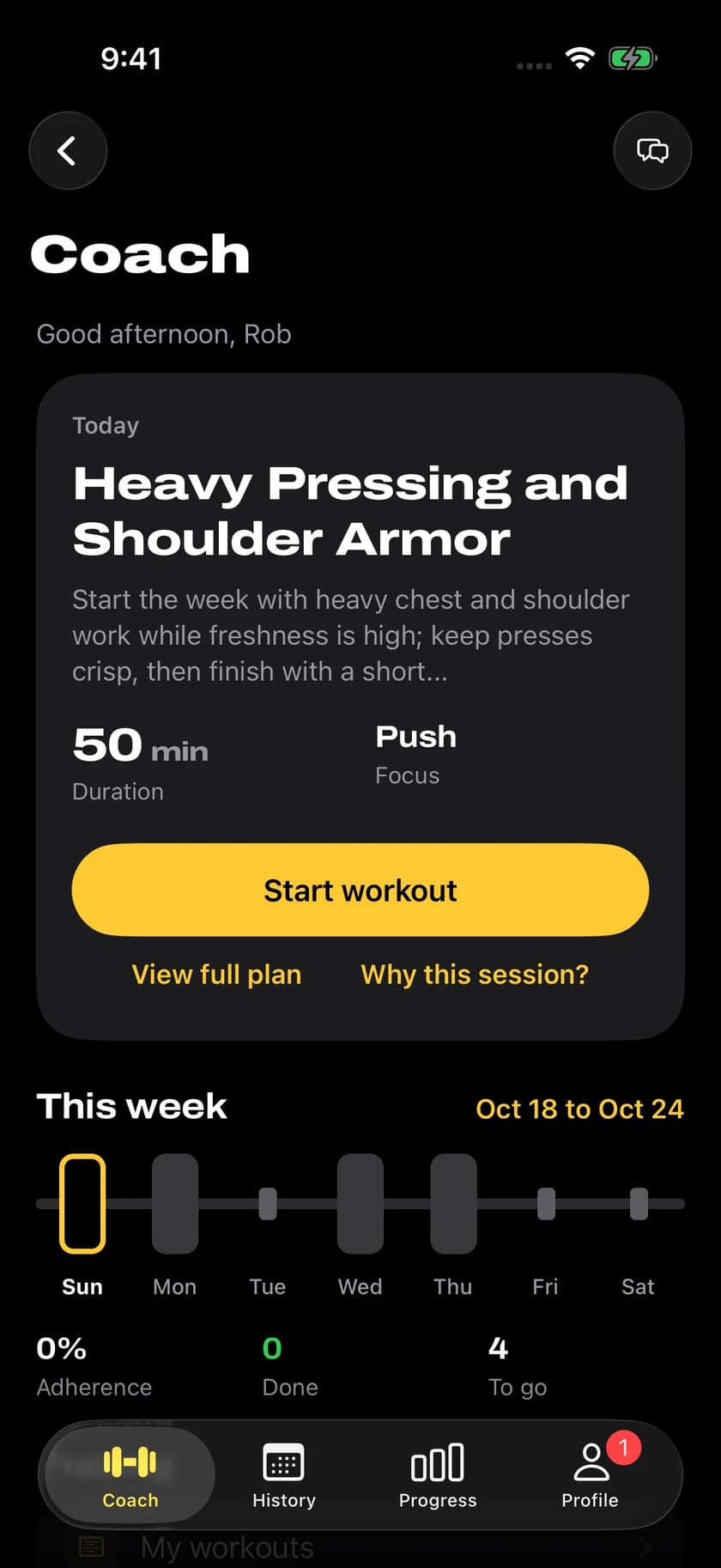
Coach builds the week around your goals, schedule, equipment, and recent training, then puts today's workout first.
- Today's session with duration and focus
- This week at a glance, with adherence
- Ask why a session is on the plan
Stay in your workout.
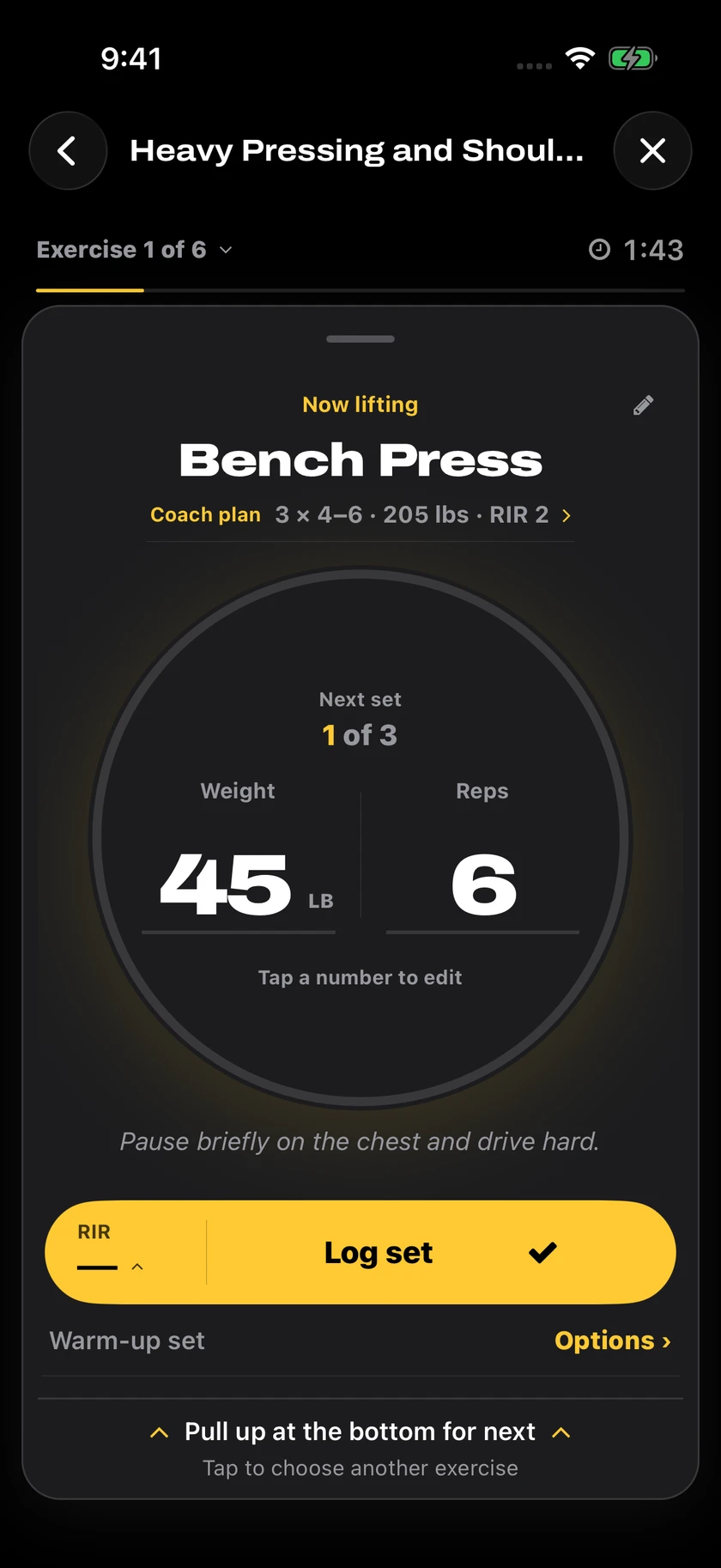
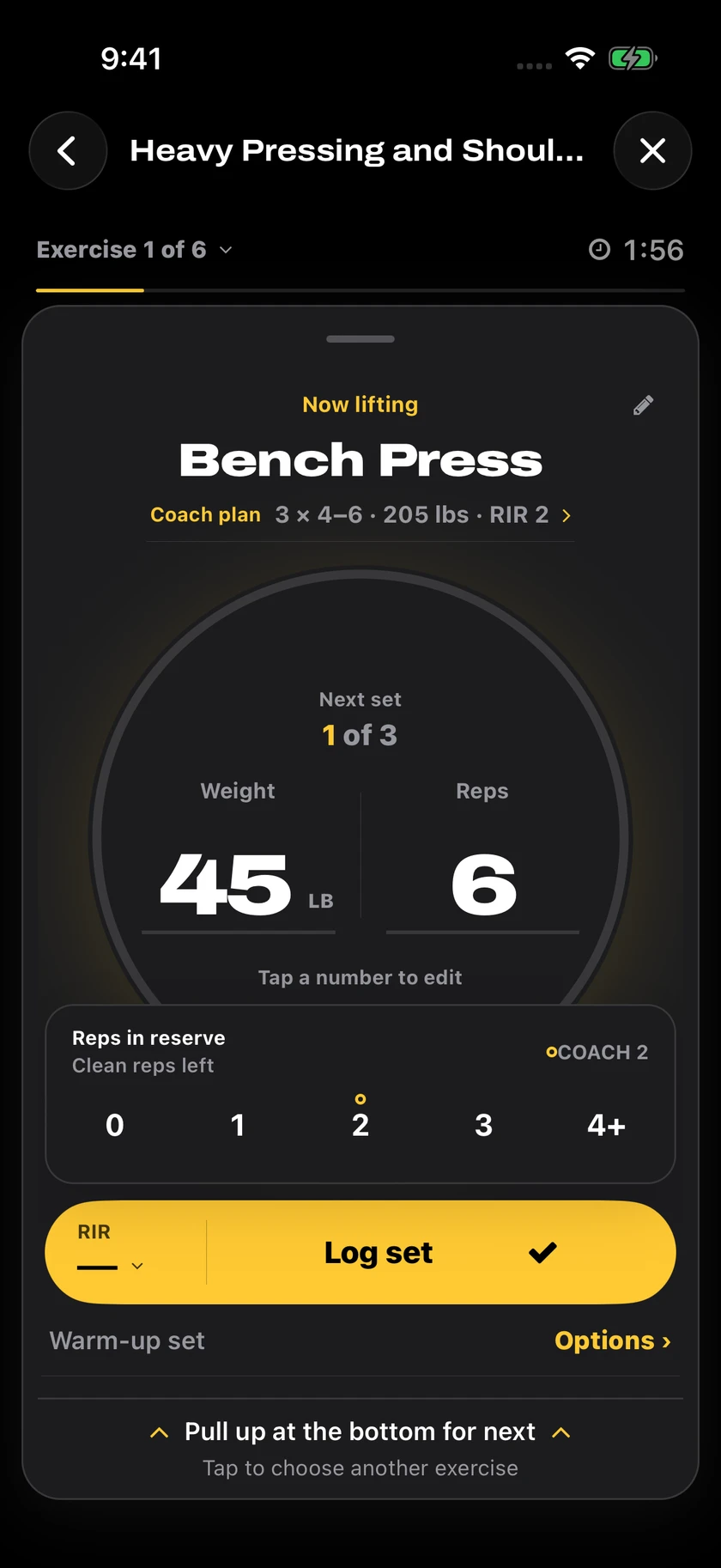
One big logger for the set in front of you. Your Coach target sits on top, so you know the weight, reps, and effort to aim for.
- Weight, reps, and timed exercises
- Reps in reserve after every set
- Warm-up sets and quick exercise switching
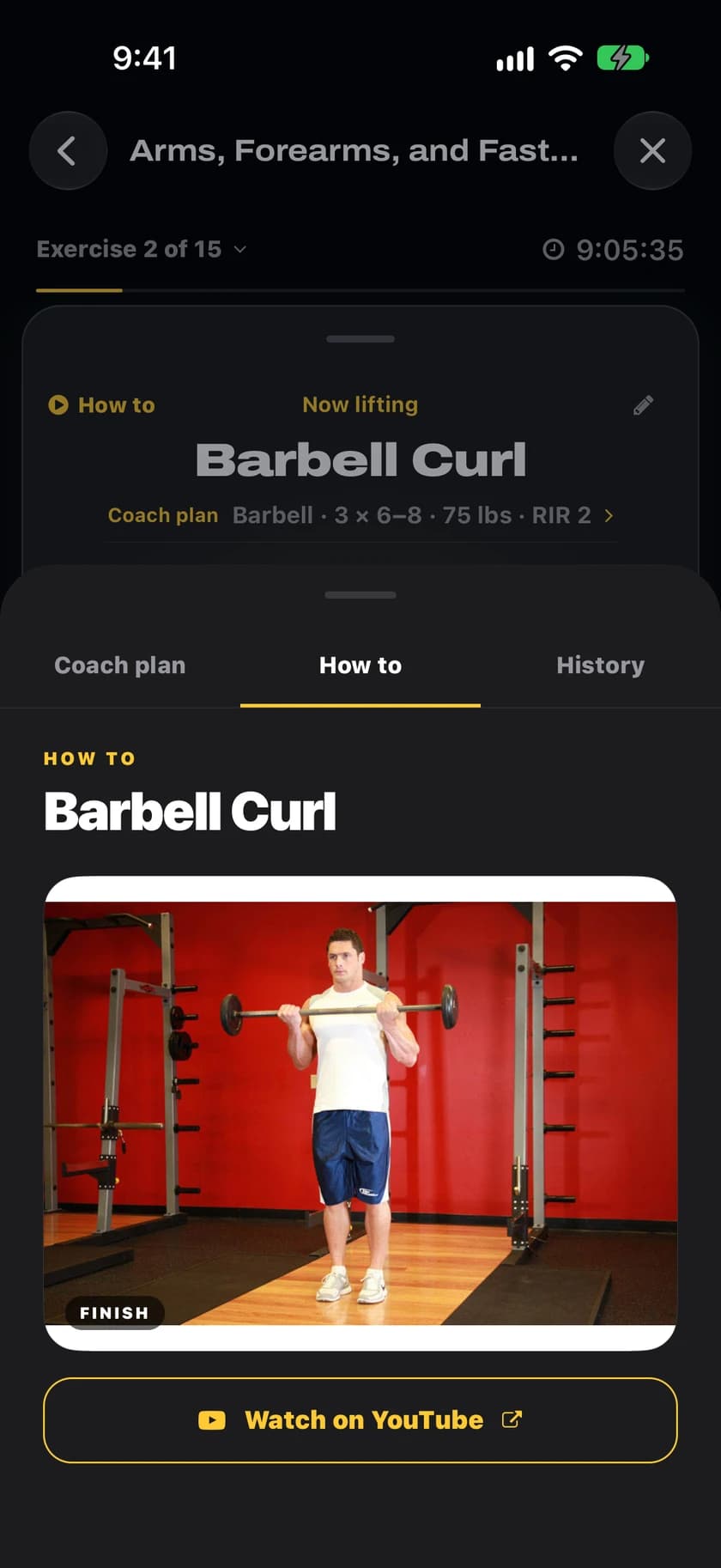
Nail the form. Every rep.
Tap How to mid-workout for start and finish demos, step-by-step instructions, and the muscles each exercise targets.
- Start and finish photos, tap to pause
- Numbered steps and a target muscle map
- A YouTube link when an exercise has no demo
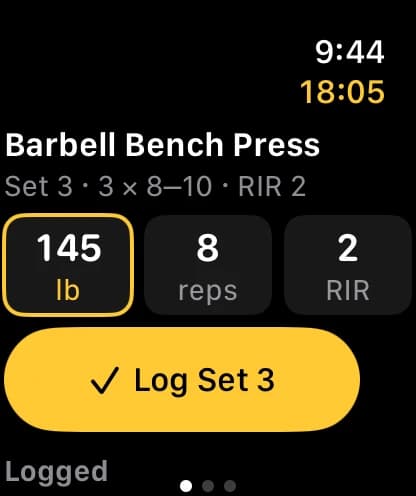
Train from your wrist.
Log sets on Apple Watch, get rest alerts, and see live heart rate and calories. Watch workouts are saved to Apple Health.
- Weight, reps, and RIR from your wrist
- Rest alerts between sets
- Live heart rate and calories
See your strength grow.
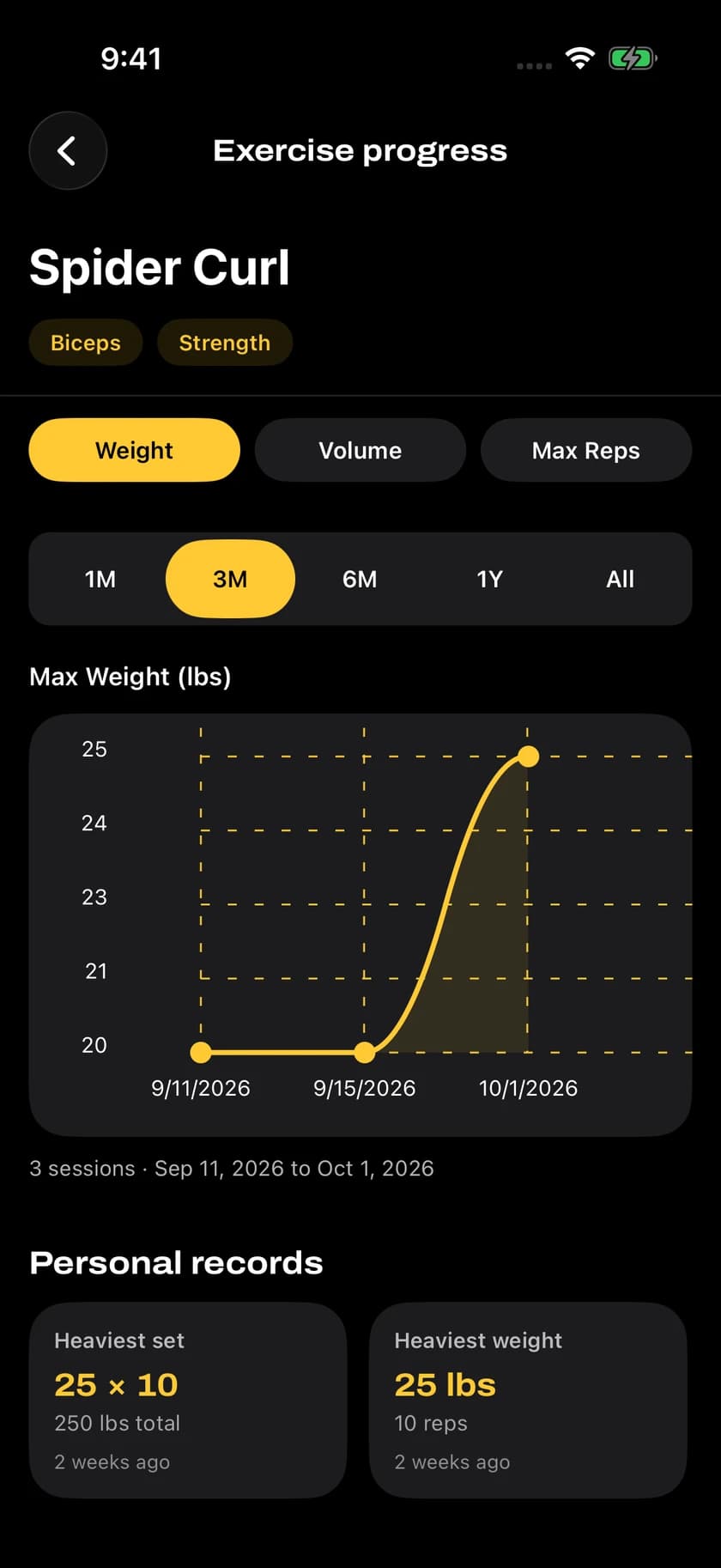
Every exercise gets its own history. Chart weight, volume, or max reps from the last month to all time.
- Personal records for weight and reps exercises
- 1M, 3M, 6M, 1Y, and all-time ranges
- Session counts and dates under every chart
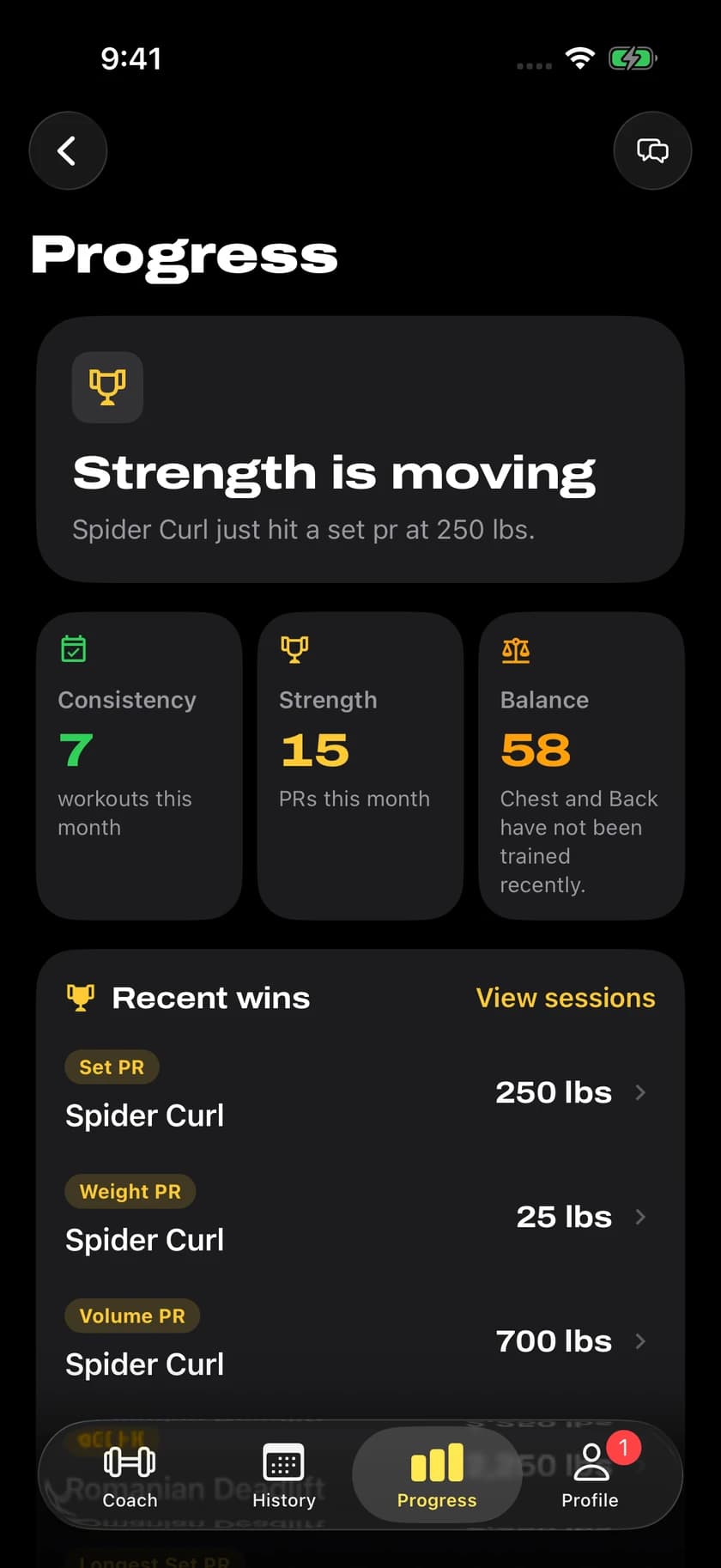
Your progress. All in view.
Consistency, strength, and training balance in one place, with a clear read on where your training stands.
- Workouts and PRs this month
- Spot muscle groups you haven't trained lately
- Recent wins from your latest sessions
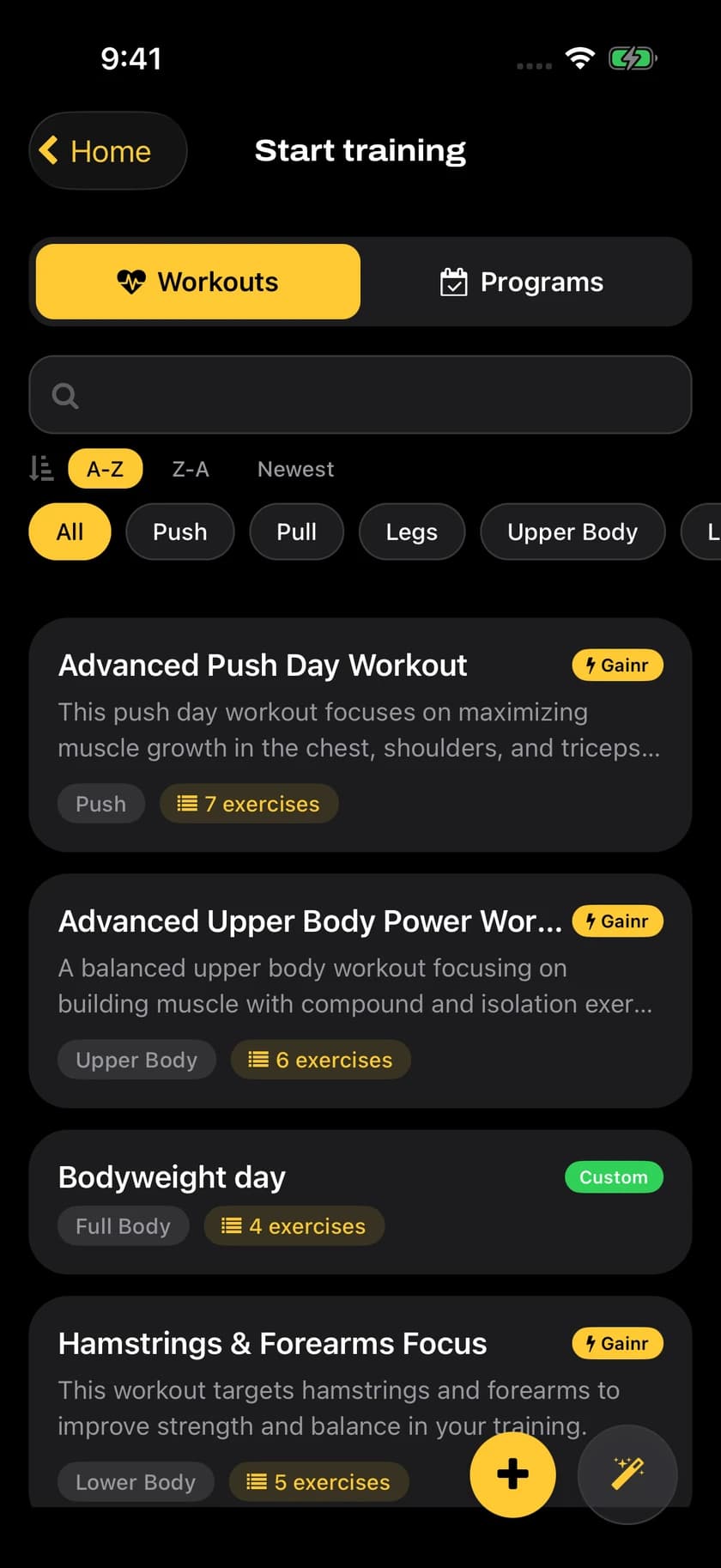
Your workouts. Ready to go.
Keep Gainr-built and custom workouts and programs together, ready when you are.
- Filter by push, pull, legs, and more
- Workouts and programs side by side
- Build your own or generate one with AI
Your Coach week in three steps.
From profile inputs to a prescribed week you can actually follow.
- 1
Set your Coach inputs
Choose your training days, session length, equipment, goals, and constraints so Gainr knows how to build your week.
- 2
Follow today's plan
Open Coach and start the next prescribed workout, with the sets, reps, and targets for each exercise.
- 3
Adjust the week
When plans change, ask your coach, move a workout, skip a day, or refresh the week from your latest training data.
A coach that keeps up with your week.
History-aware progression
Your completed sets, PRs, adherence, and recent workload help shape what Gainr recommends next.
Ask your coach
Ask why a session is on the plan, how to approach today, or what to change when recovery feels off.
Plan adjustments
Move, swap, skip, or refresh workouts when your week changes without losing the thread of the plan.
iOS, Android, and Apple Watch
Train from the device you already bring to the gym, or log sets from your wrist on Apple Watch. Your Coach plan and logs stay with you.
Simple, honest pricing.
Start with a Coach preview. Upgrade when you want Gainr to keep running the week.
Coach access continues with Pro after the 14-day preview. Workout logging and progress tracking stay free. See the app for subscription options and current pricing in your region.
Let Gainr build
this week.
Download Gainr and start your 14-day Coach preview. No credit card, no spreadsheets, just today's prescribed lift.